
Inspiron, OptiPlex, Precision, ProDesk, EliteDesk, and Z2 explained through the work they were designed to do.
Abstract
A computer’s product family tells you about its original audience and design priorities. Its actual configuration tells you much more about how it will fit your work today. This brief explains familiar home, business, and workstation families, with examples from CleanSpec Lab builds and a few related names shoppers often encounter. It also separates product family, physical size, and validation scope so you can compare refurbished systems with more confidence.
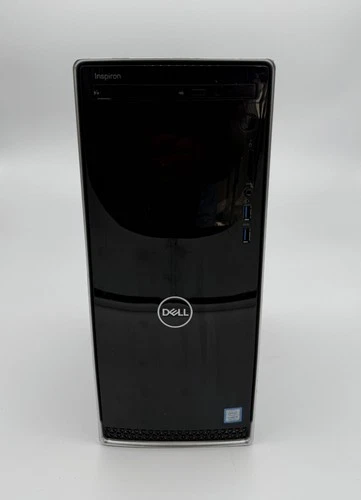
Home and everyday computing
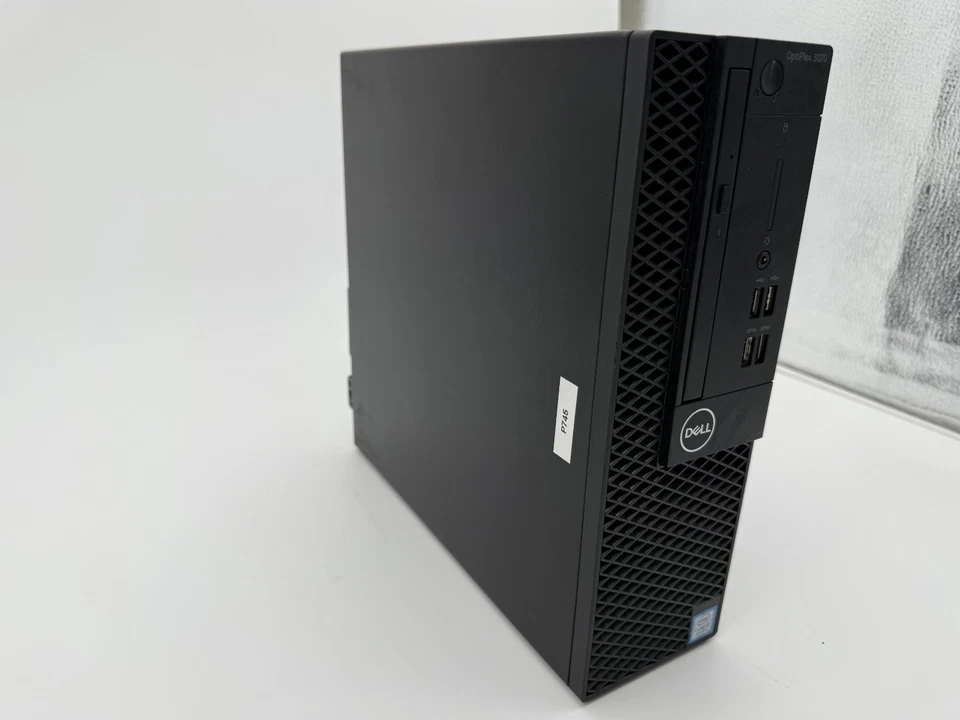
Business desktop platform
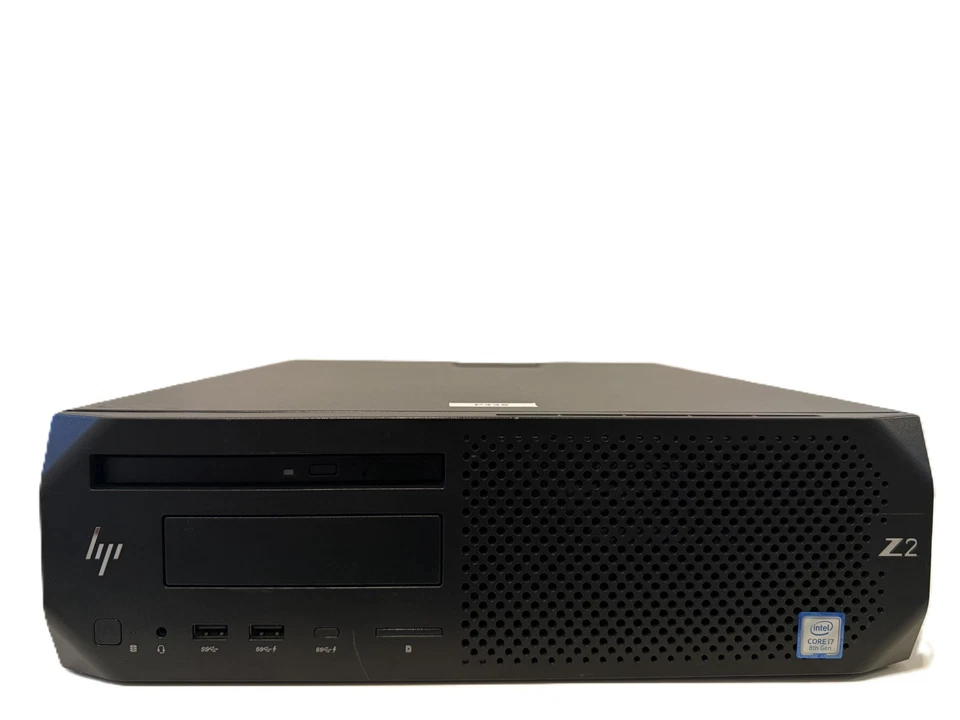
Professional workstation platform
Examples from our build-photo collection. Marketing presentation may include background cleanup. The individual listing identifies the machine offered and its actual configuration; these photographs do not establish current availability.
Three different questions about a PC
Product family describes the manufacturer’s intended market. Configuration describes the processor, memory, storage, graphics, and other hardware actually installed. Validation describes the checks performed on that particular computer. These are related, but they answer different questions.
A business desktop can make an excellent home computer. A workstation can serve an office. A consumer desktop can handle small-business bookkeeping. Choosing across those boundaries is often sensible when the specific machine fits the workload and budget.
This guide focuses on names common in the refurbished market. Manufacturers change their branding over time, so current product pages may use newer names. Always use documentation for the exact model and generation when checking features or upgrades. [1–6]
The families you are likely to see
| Product family | Original emphasis | How to think about it today |
|---|---|---|
| Dell™ Inspiron™ desktops | Home, school, and general productivity. | A versatile starting point for everyday applications. Compare the installed hardware and connections with your needs. |
| Dell™ OptiPlex™ desktops | Business productivity and organizational deployment. | Useful for office work and home use alike. Management features and expansion options vary by generation and chassis. |
| Dell™ Precision™ workstations | Professional applications and workstation configurations. | Consider for CAD, content creation, development, or other demanding work after checking the exact CPU, GPU, memory, and software requirements. |
| HP ProDesk desktops | Mainstream business computing. | A practical fit for office applications, household administration, and general productivity. |
| HP EliteDesk desktops | Business computing with a stronger emphasis on enterprise features. | Look at the specific security, management, ports, and expansion options that are useful to you. An EliteDesk name alone does not establish a speed advantage over a ProDesk. |
| HP Z2 workstations | Desktop workstation applications. | A platform for professional workloads, with configurations ranging from everyday productivity to more demanding technical work. |
Family summaries are based on manufacturer material. They describe intended roles, not a guarantee that every feature is present on every model. [1–5]
OptiPlex and Inspiron in everyday use
Inspiron desktops were developed around individual users and a broad range of household tasks. OptiPlex desktops were developed around business environments, where deploying, servicing, and managing multiple computers can matter as much as the performance of one computer. Those priorities help explain differences in chassis choices and management options. [1–2]
For someone using email, online banking, office documents, streaming, and video calls, either family can be a good match. A suitable processor, enough memory, a healthy SSD, and the right display and network connections usually matter more to that person than enterprise management features they will never use.
That also makes refurbished business desktops appealing outside an office. An OptiPlex can offer useful everyday capability at an accessible price, while an Inspiron with a suitable configuration can be equally appropriate for a home office. Compare the actual systems rather than assuming the business label automatically makes one faster.
ProDesk, EliteDesk, and ENVY serve different priorities
HP ProDesk and EliteDesk desktops belong to HP’s business range. ProDesk addresses mainstream office needs; EliteDesk places more emphasis on enterprise security and manageability. The details depend on the model, and some features require particular hardware or software. [4]
HP Pavilion and ENVY desktops provide useful context on the consumer side. Pavilion has covered broad household productivity and entertainment. ENVY has emphasized performance and creative use within a consumer product family. An ENVY desktop can therefore be a strong option for demanding personal work without being a Z-series workstation. [5]
For a refurbished buyer, the useful comparison is concrete: Which processor is installed? How much memory is available? What graphics hardware and ports are present? Does the chassis support the upgrade you have in mind? A family name helps you start the search; those answers help you finish it.
What makes Precision and Z2 workstation families
Workstation families are designed around professional applications and offer hardware combinations intended for those uses. Depending on the exact platform, options may include professional graphics, error-correcting memory (ECC), and configurations evaluated for specific professional software. These features can be valuable when the application or workflow benefits from them. [3–4]
A workstation does not have to use an Intel® Xeon® processor. Dell’s Precision 3430 documentation lists Intel® Core™ processors as well as Intel Xeon processors, with both ECC and non-ECC memory options. CleanSpec Lab has also worked with HP Z2 systems using different processor configurations. The family identifies the platform; the parts determine its capabilities. [3]
ECC operation requires a compatible processor, motherboard, firmware, and memory configuration. Likewise, a manufacturer’s software certification applies to a defined configuration and software environment. A refurbished workstation with changed components should not be assumed to retain every original certification. Check the application vendor’s requirements when certification or support eligibility matters.
Useful workstation applications can include CAD, photo editing, development, virtual machines, and data work. The scale matters: opening a modest drawing and manipulating a large assembly place different demands on a system. Professional graphics branding also does not promise high frame rates in current games.
A few other names worth recognizing
| Names you may encounter | Helpful context |
|---|---|
| Lenovo IdeaCentre desktops | General-purpose home and personal computing, including configurations suitable for small-business tasks. |
| Lenovo ThinkCentre desktops | Business desktops, with models suited to office deployment and everyday productivity. |
| Lenovo ThinkStation workstations | Professional workstation systems; compare the installed configuration with the application. |
| Dell™ Vostro™ desktops | A familiar small-business line in the used market. Read the generation-specific specifications rather than treating Vostro and OptiPlex as identical. |
| HP Pavilion and ENVY desktops | Consumer families spanning general use and more performance-focused personal or creative work. |
These are reference points for comparison, not a statement that every family is currently in our inventory. [5–7]
Compact describes size
Micro, Mini, and Tiny are names commonly used for very small computers. Small Form Factor (SFF) systems are generally larger and may provide internal expansion slots. Towers usually provide more physical room. All-in-one systems combine the display and computer in one enclosure. Exact layouts vary.
Smaller systems can be an excellent choice when desk space matters. Check the memory format, drive bays, graphics options, power supply or external adapter, and display outputs before planning upgrades. A compact workstation and a compact everyday PC may look similar in size while offering different capabilities. We discuss these formats for context; this article does not imply current compact or mini inventory.
When extra capability makes sense
A six-core, twelve-thread Intel Xeon W-1250 processor can be useful for workloads that take advantage of its resources. Its presence in a workstation does not make that processor necessary for browsing, email, or social media. [8]
At the same time, buying a more capable machine can be a sensible choice. A favorable price, more memory, useful graphics hardware, or room for a new hobby can justify the step up. The benefit should connect to something you value, whether that is shorter processing times, more simultaneous applications, or practical expansion. Future usefulness also depends on operating-system and software support, not just processor power.
Compare the complete computer
- Start with your applications, typical project size, and monitor setup.
- Read the full processor model and generation, memory amount, SSD capacity, and exact graphics model.
- Check ports, wireless equipment, chassis space, power limits, and operating-system support.
- Read the condition description and the testing scope for that individual system.
- Compare the total price with the capability you will use now and reasonably expect to use later.
Our configuration guide and GPU selection guide take those checks further. For help with a particular listing, send us the applications and monitors you plan to use. That gives us a more useful starting point than a preferred badge alone.
References
- Dell — Inspiron desktops and product-line transition.
- Dell — OptiPlex desktops and business product context.
- Dell — Precision 3430 technical specifications.
- HP — Business computers and workstation families; HP — Business desktop terminology.
- HP — Pavilion, ENVY, and desktop family overview.
- Lenovo — IdeaCentre, ThinkCentre, and ThinkStation desktop context.
- Dell — Vostro desktops.
- Intel — Intel Xeon W-1250 processor specifications.
Brand acknowledgment
Dell Technologies, Dell, and other trademarks are trademarks of Dell Inc. or its subsidiaries. HP, ProDesk, EliteDesk, Z, Pavilion, and ENVY are trademarks of HP Inc. or its affiliates. Intel, Intel Core, Xeon, and other Intel marks are trademarks of Intel Corporation or its subsidiaries. Lenovo, IdeaCentre, ThinkCentre, and ThinkStation are trademarks of Lenovo. Other names and brands are the property of their respective owners.
Product names identify the equipment discussed. CleanSpec Lab is an independent refurbisher and is not affiliated with, sponsored by, endorsed by, or an authorized representative of the computer and processor manufacturers named here. Manufacturer documentation establishes original product capabilities; CleanSpec Lab is responsible for its own refurbishment, configuration descriptions, and testing claims.
Document control: TB-016 · Revision A · Prepared November 7, 2026. Scope: desktop product-family orientation; no comparative performance testing was performed for this brief. Photos: CleanSpec Lab build collection.