

TB-006: Why Thermal Management Matters More as Computers Age
Thermal Paste, Airflow, Cooling Configuration, Component Aging, and Workload-Appropriate Validation
CleanSpec Lab Technical Brief
Document Number: TB-006
Revision: A
Release Date: July 12, 2026
Status: Current
Abstract
Older business-class computers and workstations can appear completely functional while operating with reduced thermal margin. A short diagnostic, successful Windows installation, or normal web browsing may never expose a weak thermal interface, restricted airflow, aging fan, or incomplete cooling configuration. The problem may become visible only when the processor is asked to sustain a heavier workload.
CleanSpec Lab treats thermal preparation and performance validation as two connected but separate responsibilities. Every computer receives fresh CPU thermal interface material and a physical cooling-system inspection. The level of sustained-load testing then depends on the role for which the system is configured and sold.
In one CleanSpec Lab test involving an HP Z2 G5 SFF workstation with an Intel Core i5-10500 processor, replacing the CPU thermal compound was followed by a reduction of approximately 5°C in peak temperature during OCCT testing. That result is not a promise that every machine will improve by the same amount, but it demonstrates why the condition of old or unknown thermal compound should not be treated as irrelevant.
This Technical Brief explains why thermal maintenance matters in older computers, how elevated operating temperatures can contribute to component aging, why CleanSpec Lab replaces CPU thermal compound in every system, and why general-use desktops do not need the same published stress-certification requirements as professional workstations.
CleanSpec Lab Thermal Principle
Every system is prepared to a consistent thermal baseline. The level of stress validation then matches the role for which the system is sold.
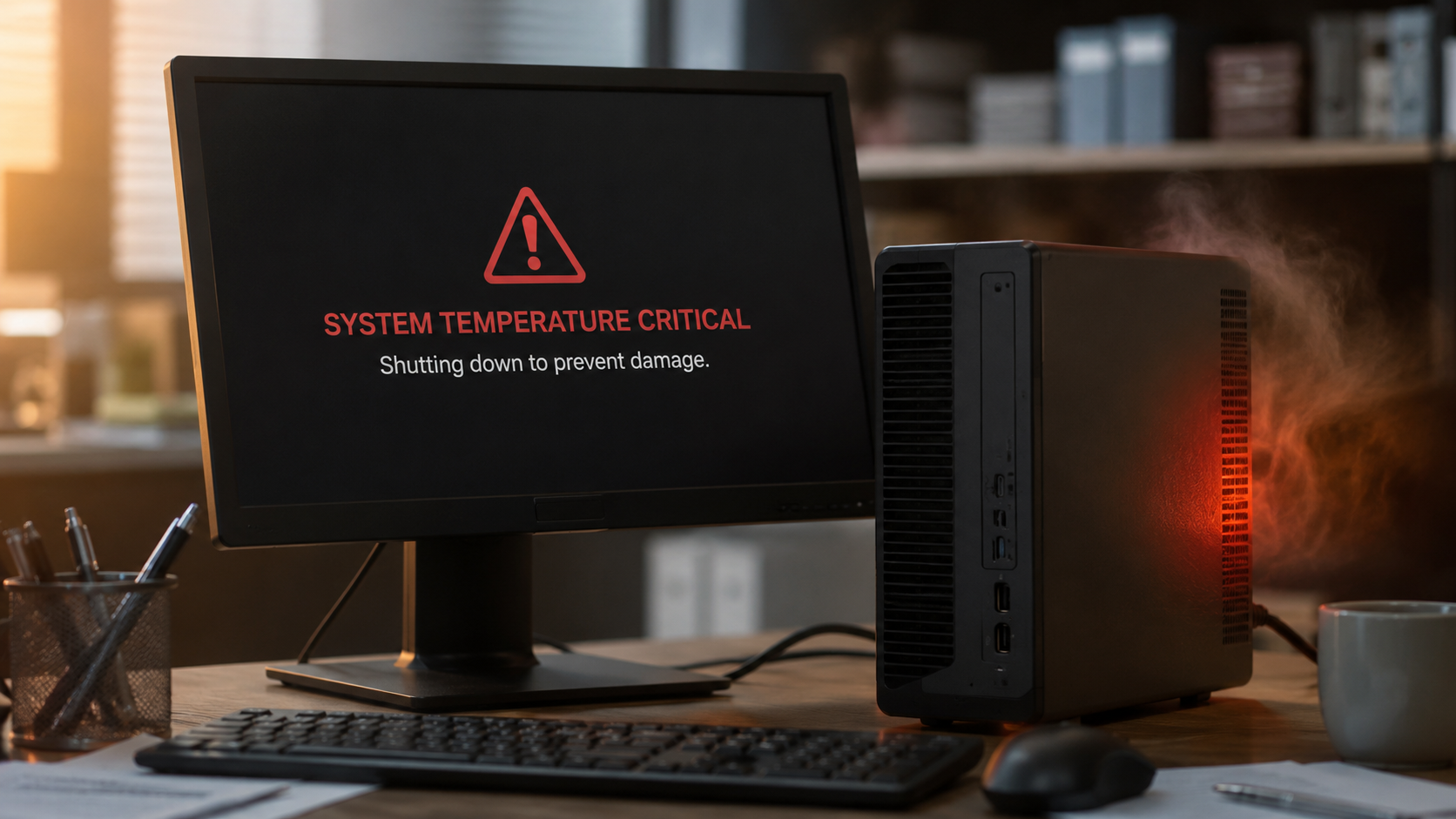
Used Computers Arrive With an Unknown Thermal History
This image is AI-Generated.
A refurbished computer may have spent years in an office, school, engineering department, warehouse, or home. It may have operated in a clean, climate-controlled room or in a dusty environment. Its heatsink may never have been removed, or it may have been serviced previously with unknown materials and workmanship.
The operating system usually cannot reveal that history. A machine may boot quickly, install updates, and complete ordinary tasks while still having less cooling headroom than it should.
Thermal condition is not simply a choice between “working” and “overheating.” There is a wide range between those two outcomes.
That range matters because modern processors dynamically adjust frequency, voltage, and power. When cooling is effective, the system has more room to sustain performance. As temperature approaches the processor’s control limits, protective mechanisms may reduce frequency and power to limit further heating.
The computer may remain functional, but it may run louder, boost for less time, or deliver less sustained performance.
A Computer Can Work and Still Be Thermally Weak
Normal home and office workloads are often bursty. Opening a browser tab, loading a document, or checking email may use the processor heavily for only a moment. A marginal cooling system can recover between those short bursts and appear normal.
Sustained workloads are different. Rendering, compression, CAD operations, simulation, software compilation, large updates, prolonged multitasking, and combined CPU-and-GPU workloads can keep heat generation elevated for longer periods.
Those workloads reveal thermal weaknesses that a quick startup check may never show.
This is why “it boots” is not a complete thermal evaluation. It confirms that the computer can start. It does not confirm that the machine has appropriate thermal margin for every intended workload.
What Higher Operating Temperatures Can Cause
Heat does not usually destroy a computer all at once. More often, it reduces the system’s reliability margin by accelerating several forms of electrical, mechanical, and material wear.
Semiconductor Aging
Processors, chipsets, voltage-regulation components, memory devices, and other integrated circuits contain extremely small electrical structures. Elevated temperature can accelerate temperature-sensitive degradation mechanisms within those components.
The effect is cumulative. A processor operating above its ideal temperature does not necessarily fail immediately, but prolonged heat can contribute to faster aging over time.
This is one reason elevated temperature is commonly used as an accelerating stress during electronic reliability testing.
Solder-Joint Fatigue
Components expand when heated and contract as they cool. Circuit boards, component packages, heatsinks, and solder connections do not all expand at exactly the same rate.
Repeated heating and cooling can therefore place mechanical stress on solder joints and component connections. Over many thermal cycles, that stress may contribute to microscopic cracking, intermittent connections, or eventual failure.
Large components and assemblies that regularly experience significant temperature changes may be especially affected by repeated thermal cycling.
Capacitor and Power-Delivery Wear
Capacitors and voltage-regulation components are responsible for delivering stable power throughout the computer. Many of these parts are sensitive to prolonged heat.
Elevated temperature can accelerate electrolyte loss and other age-related deterioration in certain capacitors. Power-delivery components may also operate less efficiently or experience greater thermal stress when the surrounding environment is already hot.
Because these components help regulate power for the processor, memory, motherboard, and graphics hardware, their condition can affect the stability of the entire system.
Plastic, Insulation, and Adhesive Aging
Long-term heat exposure can degrade some plastics, wire insulation, adhesives, connector materials, fan components, and other polymers used throughout a computer.
Depending on the material and temperature involved, thermal aging may cause:
Hardening
Loss of flexibility
Discoloration
Warping
Cracking
Eventual brittleness
It would be inaccurate to say that every computer component simply becomes brittle from heat. The concern applies primarily to certain plastics, insulation materials, adhesives, and polymers. Semiconductor devices and solder connections experience different forms of temperature-related wear.
Fan Wear
A hotter computer may require its fans to run faster and more frequently. That increases operating time on fan bearings, motors, and lubricants.
A fan that spends years operating at an elevated speed may wear sooner than one that can maintain the same system temperature at a lower duty cycle.
Dust accumulation can worsen the cycle. Restricted airflow causes higher temperatures, which requires more fan activity, while the fan continues pulling additional airborne material through the system.
Reduced Performance
Modern processors protect themselves by reducing clock speed, voltage, or power when thermal limits are approached. This behavior is generally called thermal throttling.
The computer may continue operating, but it may no longer sustain its expected performance. A processor that briefly reaches its advertised boost frequency during light use may run substantially slower during a prolonged workload if the cooling system cannot remove heat effectively.
Thermal weakness can therefore appear as:
Reduced sustained clock speed
Longer rendering or encoding times
Slower compilation or calculation workloads
Inconsistent benchmark results
Higher fan noise
Brief freezes or instability
Emergency shutdowns under severe conditions
Reduced Fault Tolerance
A computer operating near its thermal limit has less room to absorb changes in its environment.
A system that appears stable in a cool room may behave differently when:
Room temperature increases
Dust accumulates
A vent becomes partially blocked
The computer is placed inside a cabinet
A fan begins weakening
A higher-power processor or graphics card is installed
The workload becomes more demanding
Thermal maintenance does not guarantee that a computer will never fail. It does, however, reduce unnecessary thermal stress and preserve more of the reliability margin remaining in already-used hardware.
Heat is cumulative wear. Thermal maintenance helps preserve a computer’s remaining service margin.
Why Thermal Paste Matters
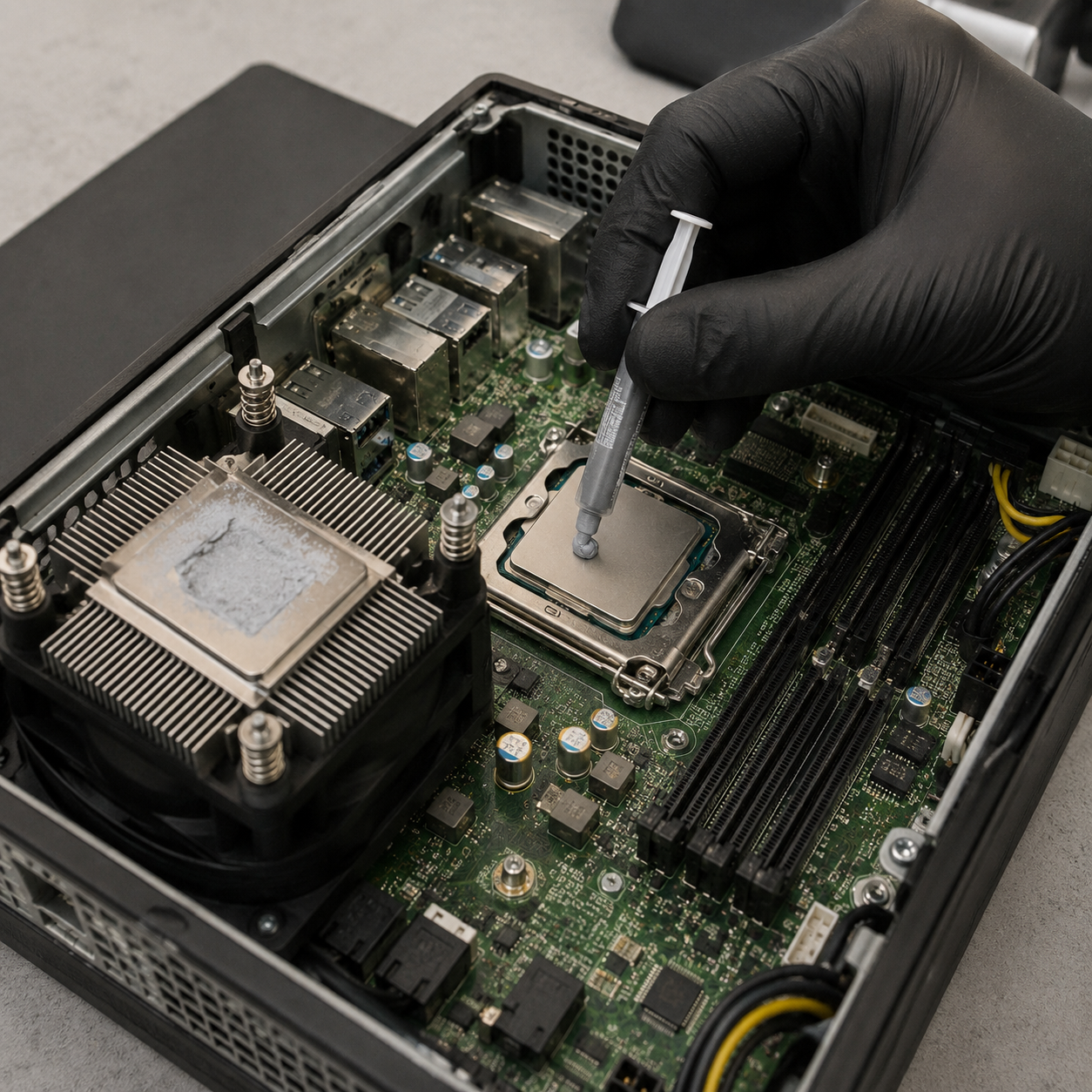
The top of a processor and the contact surface of a heatsink may look smooth, but both contain microscopic imperfections. Thermal interface material, commonly called thermal paste or thermal compound, fills those small gaps and improves heat transfer from the processor’s integrated heat spreader into the heatsink.
This image is AI-Generated.
In an older computer, the original thermal compound may be:
Dry
Uneven
Contaminated
Disturbed by previous service
Applied incorrectly
Partially separated from the contact surfaces
Of completely unknown age or condition
A heatsink may also have been removed and reinstalled without properly replacing the compound. Any of these conditions can reduce the efficiency of the thermal path.
Replacing thermal paste is not a substitute for the correct heatsink, functional fans, unobstructed airflow, proper mounting pressure, or a suitable chassis design. It is one part of the complete cooling system.
However, it is an inexpensive and important part that directly affects the transfer of heat away from the processor.
Thermal paste is not a performance upgrade in the traditional sense. Fresh thermal compound does not make a processor faster by itself. Its value is that it restores a known, properly applied thermal interface so the existing cooling hardware can perform as effectively and consistently as possible.
CleanSpec Lab Case Observation: Approximately 5°C
During refurbishment and OCCT testing of an HP Z2 G5 SFF workstation equipped with an Intel Core i5-10500 processor, CleanSpec Lab observed a peak CPU temperature approximately 5°C lower after replacing the thermal compound.
This was a practical refurbishment observation, not a controlled scientific study. Ambient temperature, fan behavior, workload timing, sensor reporting, paste application, and other operating conditions can influence results. The same change should not be expected from every machine.
Even with those limitations, a reduction of approximately 5°C during sustained testing is meaningful.
That additional thermal margin can:
Increase distance from a processor’s thermal limit
Reduce the likelihood of thermal throttling
Improve sustained performance consistency
Provide more margin for warm rooms
Provide more margin for future dust accumulation
Reduce the chance of emergency thermal shutdown
Reduce the cooling system’s required fan speed
Lower unnecessary thermal stress on surrounding components
Not every computer will show a 5°C improvement. Some may improve more, some less, and some may have had acceptable thermal compound already.
The important point is that the condition of the original compound cannot be reliably determined from the outside of the computer.
Why CleanSpec Lab Replaces Thermal Paste in Every Machine
Workstations are not the only computers that benefit from a known thermal interface. Every processor depends on effective contact with its cooling solution.
CleanSpec Lab replaces CPU thermal compound in general-use desktops as well as workstations because every used machine arrives with an unknown maintenance history.
Replacing the thermal compound:
Establishes a known thermal baseline instead of relying on old or unknown material
Allows the heatsink contact surfaces to be inspected
Allows mounting hardware and screw engagement to be checked
Creates an opportunity to inspect the CPU fan and surrounding area
Reduces avoidable variation between otherwise similar refurbished systems
Lowers the chance that a simple thermal-interface problem remains hidden
Reduces the risk of unnecessary fan noise, throttling, instability, or buyer concern
Costs far less than later rework, a return, or a preventable failure
Better reflects the meaning of genuine refurbishment
The computer is not merely cleaned externally and confirmed to boot. A meaningful maintenance item has been renewed.
The value is consistency. CleanSpec Lab does not guess which machine needs new thermal compound based on appearance or a brief test. Every machine receives a fresh, known thermal interface.
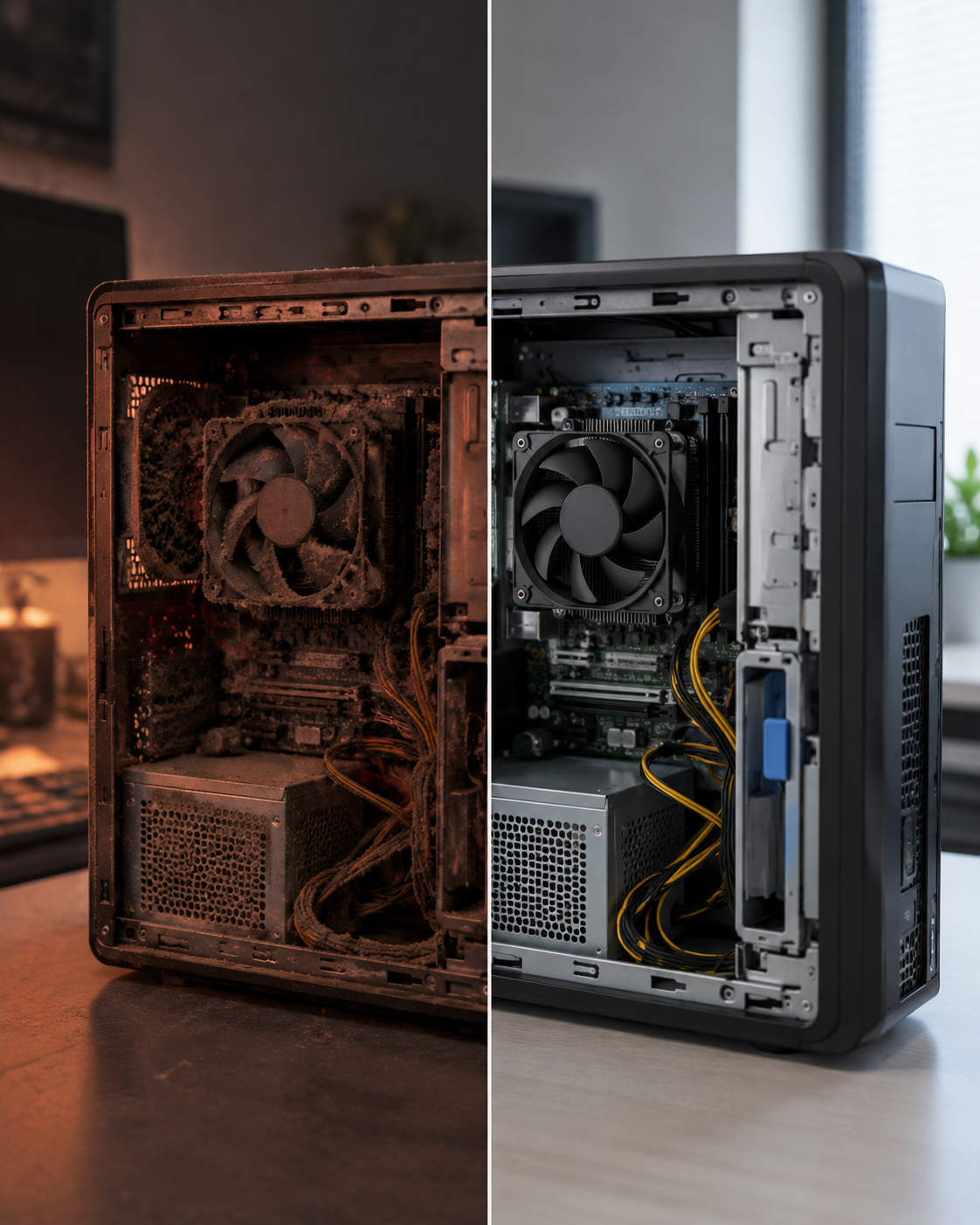
Thermal Management Is a Complete-System Issue
Thermal paste is important, but temperature is determined by the entire thermal path.
A computer can have fresh compound and still run poorly if another part of the cooling system is inadequate.
This image is AI-Generated.
Important factors include:
Correct heatsink type and thermal capacity for the installed processor
Proper heatsink mounting pressure
Correct engagement of mounting screws or retention hardware
Functional CPU, chassis, power-supply, and graphics fans
Clean heatsink fins
Unobstructed intake paths
Adequate rear exhaust airflow
Appropriate fan-control behavior
Firmware and BIOS settings
Correct processor power limits
Graphics-card heat inside the chassis
Cable routing
Internal airflow restrictions
Chassis size and layout
Room temperature
Placement of the computer in its operating environment
CleanSpec Lab has encountered systems in which the thermal compound, heatsink class, chassis airflow, fan behavior, or rear exhaust configuration each affected the final result.
This is why the complete system must be considered rather than treating any single component as the entire solution.
In certain HP Z2 G4 and G5 SFF workstation configurations, rear chassis airflow was important enough to support the development and validation of the CleanSpec Lab CSL-001 and CSL-002 Rear Chassis Cooling Kits. Those projects are documented separately in TB-001 and TB-002.
Workload-Appropriate Validation
A consistent refurbishment baseline does not require a one-size-fits-all certification standard.
An everyday office desktop, a productivity workstation, and a professional graphics workstation place different sustained demands on their hardware.
Thermal maintenance is performed across the CleanSpec Lab product line. Published stress certification is applied according to intended use.
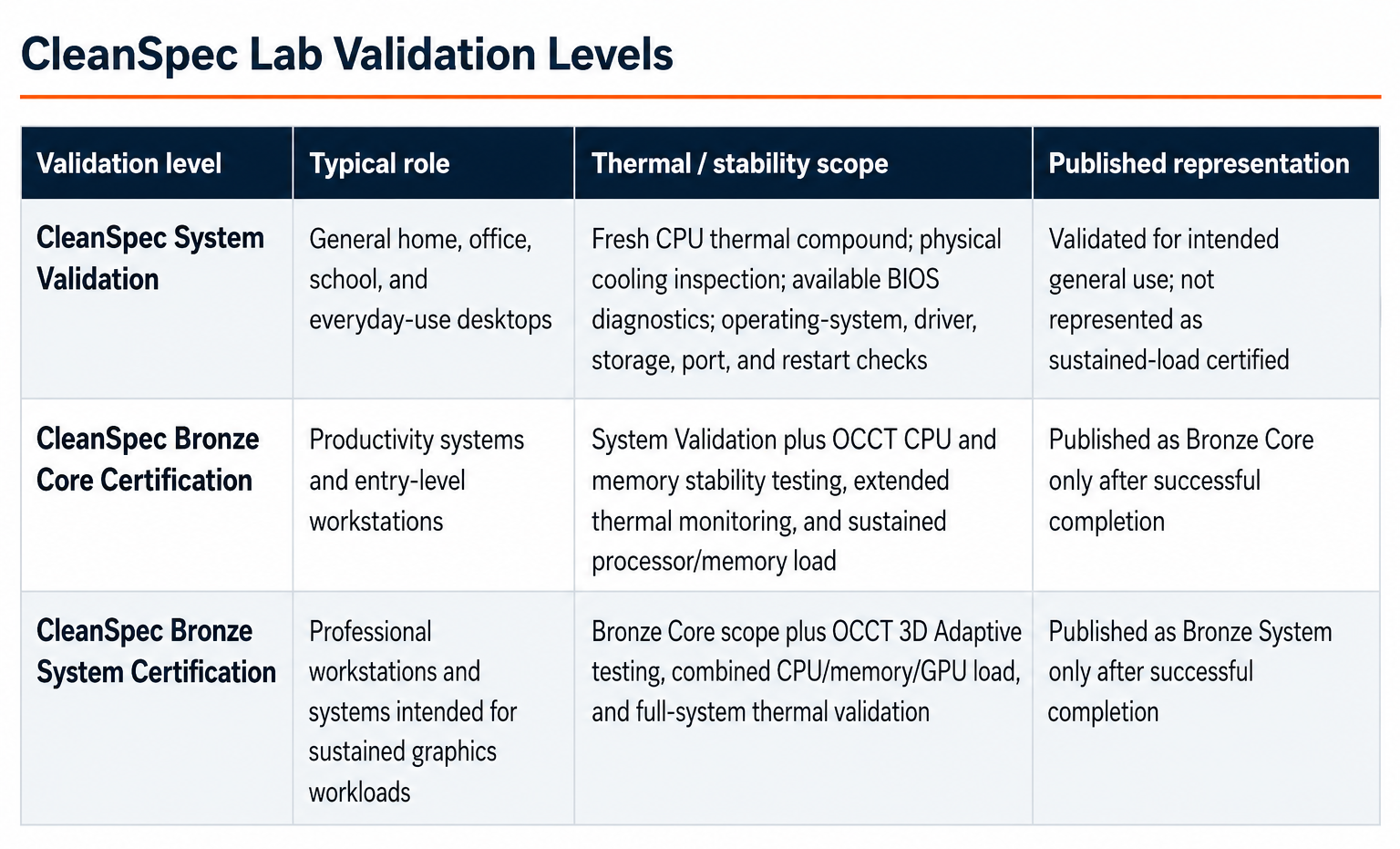
CleanSpec System Validation
Applies to general home, office, school, and everyday-use desktops.
The system receives:
Fresh CPU thermal compound
Physical cooling-system inspection
Available BIOS diagnostics
Operating-system checks
Driver and update checks
Storage-health evaluation
Port checks
Shutdown and restart checks
Configuration-appropriate functional validation
The computer is validated for its intended general use. It is not represented as sustained-load certified unless it has completed an applicable published stress-testing protocol.
CleanSpec Bronze Core Certification
Applies to productivity systems and entry-level workstations.
It includes CleanSpec System Validation plus:
OCCT CPU testing
OCCT memory testing
Extended thermal monitoring
Sustained processor and memory load
Error monitoring
Review of temperature behavior under load
A system is represented as Bronze Core only after successful completion.
CleanSpec Bronze System Certification
Applies to professional workstations and systems intended for sustained graphics workloads.
It includes the Bronze Core scope plus:
OCCT 3D Adaptive testing
Combined CPU, memory, and GPU load
Graphics stability monitoring
Full-system thermal validation
Error monitoring across the tested configuration
A system is represented as Bronze System only after successful completion.
Why Not Require Full Bronze Certification for Every Desktop?
Requiring every general-use computer to complete the same protocol as a professional workstation would create the wrong expectation.
It would imply that workstation-level sustained-load certification is the minimum definition of a dependable everyday PC. That is not how those systems are designed, sold, or normally used.
It would also dilute the meaning of Bronze Certification.
Bronze is valuable because it communicates that a particular system successfully completed a more demanding published protocol. If every machine were automatically treated as a workstation candidate, the distinction between ordinary functional validation and sustained-load certification would become less clear.
General-use systems still receive meaningful validation. They are inspected, cleaned, repasted, configured, updated, checked, and tested according to their hardware and intended workload.
A system that shows abnormal fan behavior, unexpected temperature, instability, or another warning sign should be investigated further regardless of category.
Every system is validated for its intended role. Performance workstations receive additional sustained-load thermal certification.
General-use desktops receive a configuration-appropriate refurbishment and validation process without being represented as something they are not.
What Buyers Gain From This Approach
Buyers receive:
A refreshed thermal interface in every CleanSpec Lab computer
A physical cooling-system inspection
Reduced uncertainty from previous maintenance history
A system evaluated according to the workload it is realistically expected to perform
Clear separation between general system validation and published Bronze certification
Better confidence that the installed cooling hardware has been inspected
More honest product positioning
Everyday desktops that are not oversold as workstations
Workstations that are not treated like ordinary office PCs
This approach supports the CleanSpec Lab principle:
OEM sufficient. CleanSpec validated.
Original cooling designs are often entirely appropriate for the processors and workloads they were built to support. CleanSpec Lab does not replace parts simply to create a marketing story.
It renews known maintenance items, corrects identified weaknesses, and validates the final configuration at the level appropriate for the machine.
Practical Buyer Guidance
For a normal home or office buyer, the most important question is not whether the computer completed a workstation stress test.
The better question is whether the system was properly refurbished, configured, inspected, and validated for the work it is expected to perform.
For a professional or high-performance buyer, sustained-load behavior becomes more important. Rendering, CAD, engineering applications, professional graphics, simulation, compilation, and long multitasking sessions can expose thermal weaknesses.
Those buyers should pay attention to:
Cooling configuration
Processor and graphics power
Installed heatsink
Chassis airflow
Published validation level
Whether the seller tested the complete final configuration
Whether required cooling hardware is already installed and verified
For all buyers, continued maintenance still matters. Dust accumulation, blocked vents, high room temperature, fan wear, and later hardware changes can alter thermal behavior after the computer leaves CleanSpec Lab.
Limitations
Thermal performance varies by processor, heatsink, chassis, fan control, BIOS configuration, workload, graphics configuration, room temperature, sensor reporting, and the condition of the individual machine.
The approximately 5°C improvement described in this brief was an internal observation from one HP Z2 G5 SFF system after thermal-compound replacement. It should not be interpreted as a guaranteed result for other computers or as a controlled laboratory comparison.
Lower temperature alone cannot guarantee a specific service life.
Electronic reliability is influenced by:
Temperature
Voltage
Power delivery
Manufacturing variation
Storage conditions
Component age
Workload
Handling
Previous maintenance
Environmental contamination
Many other factors
Thermal maintenance improves operating margin. It does not eliminate normal aging or provide a lifetime guarantee.
Thermal paste also cannot correct:
An undersized heatsink
A failed fan
Improper mounting
Restricted airflow
Incorrect power limits
An unsuitable cooling configuration
A chassis design that is inappropriate for the installed hardware
Those conditions require separate correction.
Conclusions
A refurbished computer should be evaluated as more than a machine that powers on.
Older computers may operate normally while having reduced thermal margin.
Elevated operating temperatures can accelerate electrical, mechanical, and material aging.
Repeated heating and cooling can contribute to solder-joint fatigue.
Prolonged heat can accelerate wear in capacitors and power-delivery components.
Heat can harden or embrittle certain plastics, adhesives, and insulation materials.
Higher temperatures can require more fan activity and contribute to fan wear.
Thermal throttling can reduce sustained processor performance.
A system operating near its thermal limit has less tolerance for dust, warm rooms, blocked vents, or heavier workloads.
Thermal interface material is essential to efficient heat transfer between the processor and heatsink.
Replacing CPU thermal compound in every system creates a known refurbishment baseline.
In one CleanSpec Lab HP Z2 G5 SFF test with an Intel Core i5-10500 processor, peak OCCT temperature was approximately 5°C lower after thermal-compound replacement.
That result is meaningful but not universal.
Thermal paste is only one part of the complete cooling system.
Heatsink capacity, mounting, fan behavior, airflow, firmware, power, and ambient conditions also matter.
General-use desktops do not need to be represented as workstation-certified to be properly refurbished and dependable for their intended role.
Bronze Certification remains an elevated published validation level for systems intended to sustain more demanding productivity or graphics workloads.
The CleanSpec Lab standard is a consistent thermal-preparation baseline followed by workload-appropriate validation.
OEM sufficient. CleanSpec validated.
A good original design is the starting point. Inspection, fresh thermal material, correct configuration, and appropriate testing establish confidence in the final refurbished system.
Current Refurbishment Standard
CleanSpec Lab currently replaces the CPU thermal interface material in every refurbished computer.
The cooling assembly and surrounding airflow path are inspected during service. Systems then receive the level of validation appropriate for their intended role.
General-use systems are represented as validated everyday computers.
Systems that successfully complete the applicable OCCT protocol may be represented as CleanSpec Bronze Core or CleanSpec Bronze System certified.
A computer is not described as sustained-load certified unless it has completed the applicable published testing.
Trademark and Independence Acknowledgment
Intel, Intel Core, Intel Xeon, and related Intel marks are trademarks of Intel Corporation or its subsidiaries.
OCCT is developed by OCBASE.
CleanSpec Lab is not affiliated with, endorsed by, or sponsored by Intel Corporation, Hewlett-Packard, HP Inc., OCBASE, or other referenced manufacturers and software developers.
References
Intel — How to Apply or Remove Thermal Interface Material
Intel — Do I Need to Use a Thermal Solution and Thermal Paste for Intel Processors?
Intel — Information About Temperature for Intel Processors
Intel — Quality and Reliability Fundamentals
OCBASE — OCCT CPU and Memory Stability Testing Documentation
NASA Jet Propulsion Laboratory — Reliability Guidance
NASA — Thermal-Cycle and Solder-Joint Reliability Research
CleanSpec Lab — Validation Overview
CleanSpec Lab Technical Brief TB-001 — HP Z2 G4/G5 Rear Cooling and Thermal Validation
CleanSpec Lab Technical Brief TB-002 — HP Z2 G4/G5 Rear Cooling and Thermal Validation Follow-Up
CleanSpec Lab Internal Refurbishment and Thermal Validation Notes
Document Control
Document: TB-006
Revision: A
Approved by: CleanSpec Lab
Supersedes: None
Copyright © 2026 CleanSpec Lab. This document may be referenced with attribution.
